Stop typing. Say it instead.

Speak, and finished writing appears in whatever app you are already in — punctuation in, ums out, nothing rewritten.

60 minutes free. No card, both engines, every feature.

macOS 13 or later · also on Windows

You say

um, hey sam is thursday still good for the review, and uh, if not like i can do friday morning

listening

It types

Hey Sam, is Thursday still good for the review? And if not, I can do Friday morning.

Faster than typing

Your hands are the bottleneck.

You speak about three times faster than you type.

Typing40wpm

Hey Sam, is Thursday still…

Speaking150wpm

Hey Sam, is Thursday still good for the review? And if not, I can do Friday morning. I’ll send the staging link either way, and I’d hold the migration until we have both signed off.

The same sixty seconds, either way.

Dictation everywhere

Wherever you already write.

Anything with a text field. No extension, no integration — it types at your cursor like a keyboard.

GmailSlackNotionChatGPTClaudeDocsWhatsAppLinearGitHubFigmaObsidian

And every other app on your Mac or Windows PC.

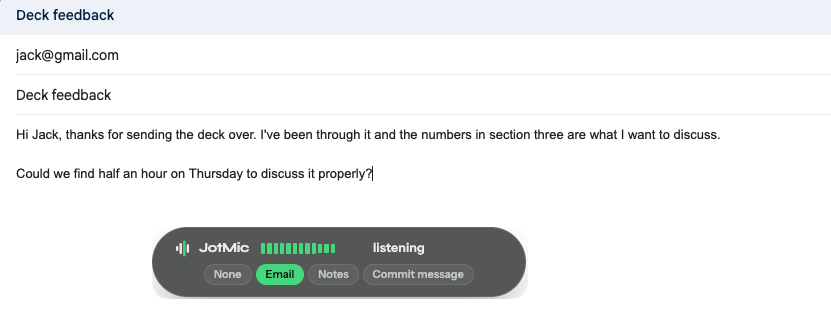
New message

To sam@northfield.co

Subject Thursday review

Hey Sam, is Thursday still good for the review?

#standup

Surya9:41

Staging build is up. Holding the migration until Thursday.

Claude

add a rate limiter to the upload endpoint, sixty a minute per user, 429 over that

Speech to text

Everything you need to stop typing.

The parts of dictation that usually need a second pass, done in the first.

punctuation

Punctuation and capitals, added for you

still good for 3pm let me know thanks

Still good for 3pm? Let me know, thanks.

?,.and two capitals

languages

It works out which language you are speaking

25+languages,
detected as you speak

Detected automatically: English, Spanish, French, German, Italian, Portuguese, Romanian, Dutch, Danish, Swedish, Finnish, Hungarian, Estonian, Latvian, Lithuanian, Maltese, Polish, Czech, Slovak, Slovenian, Croatian, Bosnian, Russian, Ukrainian, Belarusian, Bulgarian, Serbian, Greek.

vocabulary

It learns the words only you say

deploy post grist to the kuber netties cluster

Deploy PostgREST to the Kubernetes cluster.

Your words

PostgRESTKubernetesGrafanaSOC 2Priyakestrel+ add a word

Names, acronyms, libraries, colleagues. Words a spell-checker never gets right.

modes

One take. Whichever document you needed.

tell sam we ship friday and ask if the review is still on

Email

Hi Sam — we ship Friday. Is the review still on? Thanks.

Notes

· Ship Friday
· Confirm review with Sam

Message

we ship friday — review still on?

+ your own

Write the instruction. It follows that, and nothing else.

Voice commands · macOS

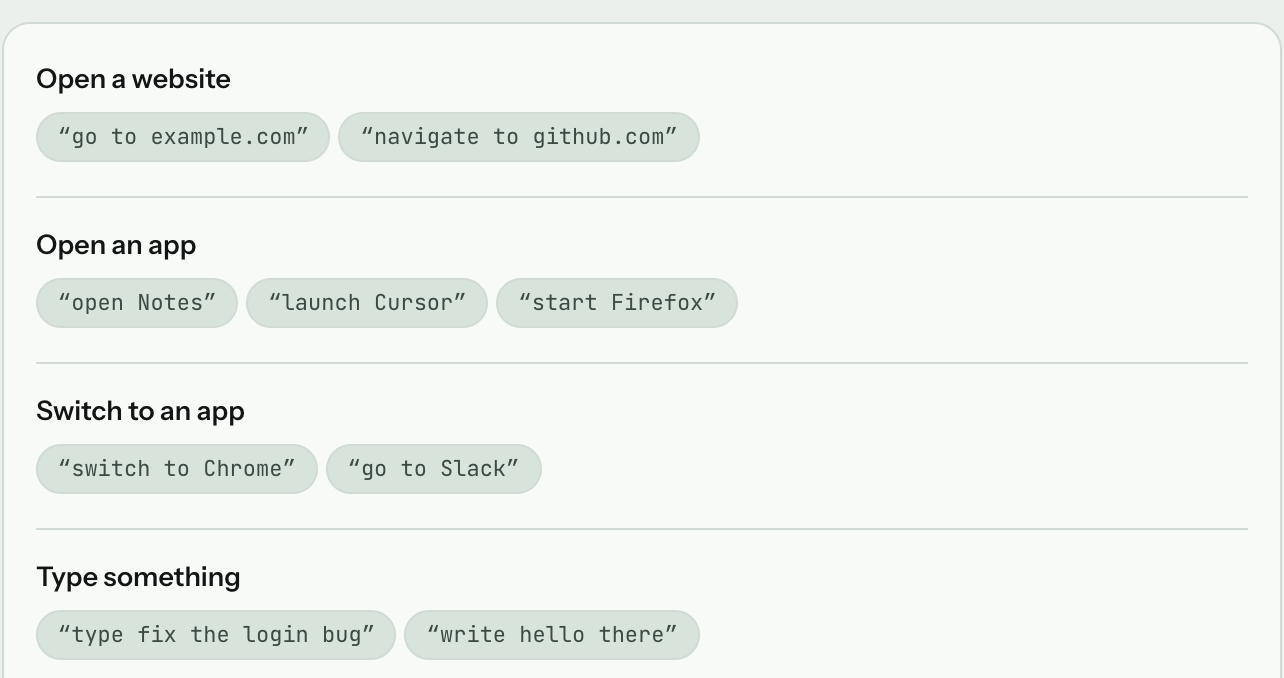
It doesn’t only type. It runs the app.

Every dictation app writes words into a window. This one also opens the window.

launchesopen Slack
⌘Tnew tab
send it
🔒lock the screen

Voice coding

Prompt your agent out loud.

Long prompts are cheap when you are not typing them.

~/kestrel — claude

Claude Code

> add a rate limiter to the upload endpoint, sixty a minute per user, 429 over that, and it has to survive a restart so not in-memory

● Read src/routes/upload.ts (218 lines)
● Update src/routes/upload.ts+ const limiter = rateLimit({ window: '1m', max: 60 })+ app.use('/upload', limiter)

Offline dictation

Nothing leaves your machine.

Switch to the local engine and everything runs on your own machine. No network, at any point.

Your computer

Your voicewhile the key is held
On-device modelon your hardware
Your textat the cursor

Never reached

The networkOur serversAny history of what you said

What offline dictation actually guarantees →

How dictation works

Set up in two minutes.

hold

Step one

Pick your key

Right Option by default. Hold to dictate, release to insert.

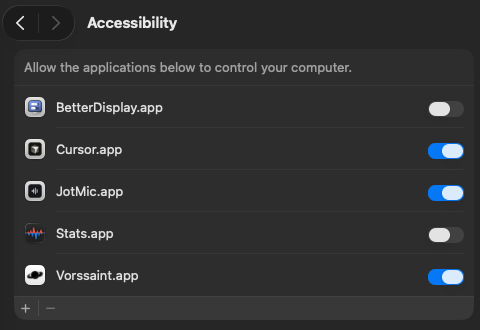
MicrophoneAllowedAccessibilityAllowed

Step two

Grant two permissions

Microphone to hear you, Accessibility to type for you. Nothing else, ever.

listening

Step three

Hold, talk, release

Punctuated text appears at your cursor. Nothing to copy, nothing to paste.

Time saved

See what typing costs you.

Hours back a month

29

JotMic Pro

$9 / month

Worth a year

$21,120

Assuming you speak about three times faster than you type.

Pricing

Pay monthly, or just once.

Sixty minutes free first, no card. Every plan is the whole product — only the allowance changes.

Free

60 minutes

Lifetime allowance. No card.

Download free

Dictation60 minutes, once

  • Hosted engine, on hard audio
  • Local engine, fully offline
  • Automatic punctuation and filler removal
  • Voice commands for any menu item (Mac)
  • Custom modes, in your own words
  • 25+ languages, detected as you speak
  • Mac and Windows, one account

Lifetimepay once

$149

Everything in Pro, once. No renewal.

Choose Lifetime

DictationUnlimited

  • Hosted engine, on hard audio
  • Local engine, fully offline
  • Automatic punctuation and filler removal
  • Voice commands for any menu item (Mac)
  • Custom modes, in your own words
  • 25+ languages, detected as you speak
  • Mac and Windows, one account

Pro

$9 / month

Billed monthly. Cancel any time.

Choose Pro

DictationUnlimited

  • Hosted engine, on hard audio
  • Local engine, fully offline
  • Automatic punctuation and filler removal
  • Voice commands for any menu item (Mac)
  • Custom modes, in your own words
  • 25+ languages, detected as you speak
  • Mac and Windows, one account

Every plan starts with the free download. Upgrade in the app.

Dictation FAQ

Common questions.

Which apps does JotMic work in — Gmail, Word, Google Docs, Slack?

Any app or website with a text field. It inserts at the cursor like a keyboard, so there is nothing to integrate.

Can I use dictation offline, with no internet connection?

Yes. The local engine runs on your own machine and needs no network. The hosted engine is faster on hard audio, and it does need a connection.

Is my voice private? What data leaves my machine?

On the local engine, nothing. On the hosted engine, the audio of the hold and only that — no screenshot, no window contents, no clipboard. It is transcribed and discarded, never stored, never used for training.

Does it rewrite my words or change what I said?

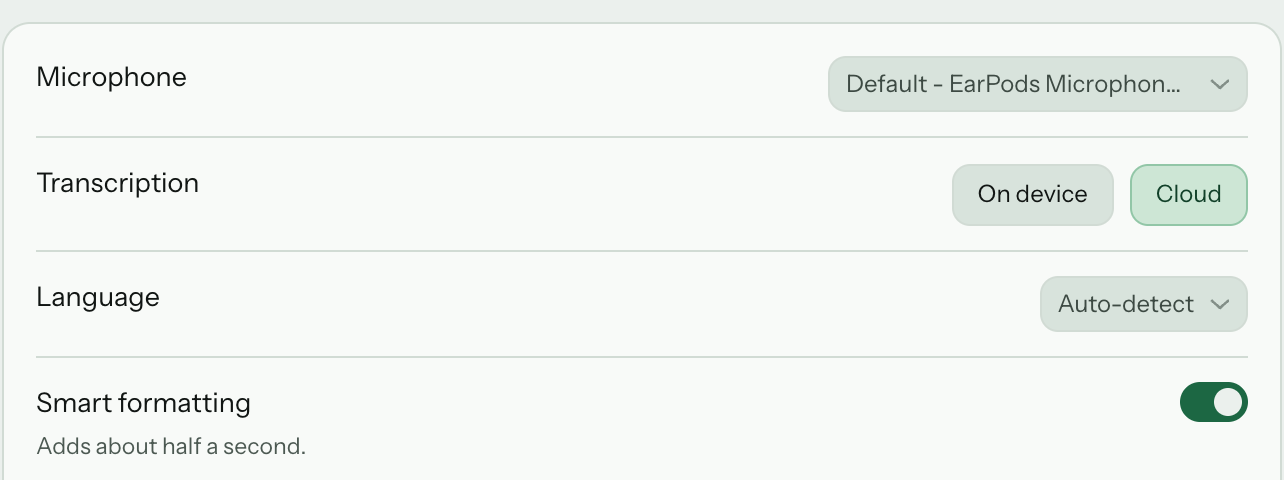
It removes fillers and fixes capitalisation and punctuation. That is the whole edit. Turn the cleanup off in Settings and you get the raw transcript.

What happens after the 60 free minutes?

Dictation stops until you upgrade. The sixty minutes is a lifetime allowance covering both engines, not a monthly one.

Does JotMic work on both Mac and Windows?

Both, from the same account. macOS 13 or later; Windows 11 on x64. Voice commands are macOS-only today; everything else works on both.

Say it. It’s written.

Try it on your next email.

60 minutes free, no card. Use ten this month and fifty are still there next month.

macOS 13 or later · also on Windows